Features

Everything PasaForm includes, organized for fast evaluation.

Explore form building, ticket registration, exports, privacy controls, and operational tools in one clear capability map.

1. Form creation and presentation

Build polished forms quickly while keeping your brand front and center.

Drag-and-drop building

Create form layouts by arranging fields visually, without technical setup.

Rich-text descriptions with links

Add formatted instructions and direct people to policies or event details.

Custom colors and header banners

Apply brand color choices and top-banner visuals for a consistent look.

Branding and social sharing images

Control visible identity on the form and in shared link previews.
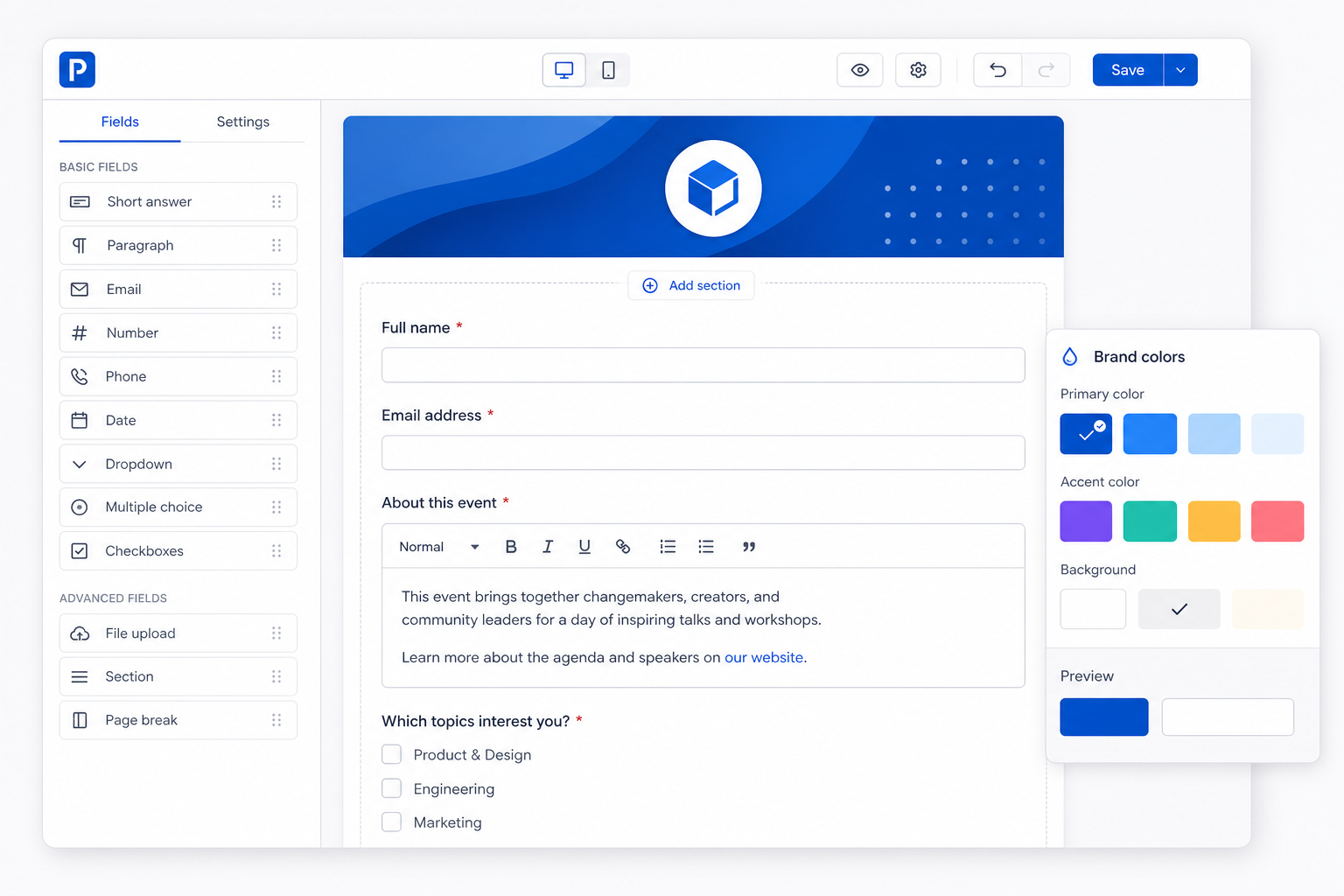
Contained UI snippet of a form builder with draggable field blocks, rich-text help panel, color selector, and branded header banner preview

2. Smart field behavior

Conditional fields

Show or hide questions based on earlier answers to keep forms relevant and shorter.

Formula fields

Calculate totals or derived values automatically during submission.

3. Ticket registration and check-in

Ticket numbers and QR-code generation

Each registration receives a unique ticket reference and scannable QR code.

QR verification with admin-only check-in

Scanning validates the ticket, and check-in actions are restricted to authorized administrators.

Configurable ticket fields after scanning

Choose which attendee details appear to staff at scan time for faster on-site workflows.

Contained UI snippet showing a mobile ticket scanner screen with a verified QR code result, ticket number, and admin check-in control

4. Operational controls

Workspace-level timezone support

Keep schedules and timestamps consistent for your whole team.

Submission management

Review and maintain responses from one organized workspace inbox.

Filtering and sorting

Segment records quickly to find the exact entries you need.

File uploads

Collect supporting documents directly within form submissions.

Workspace roles and permissions

Control who can build, view, and operate sensitive workflows.

5. Exports and handoff

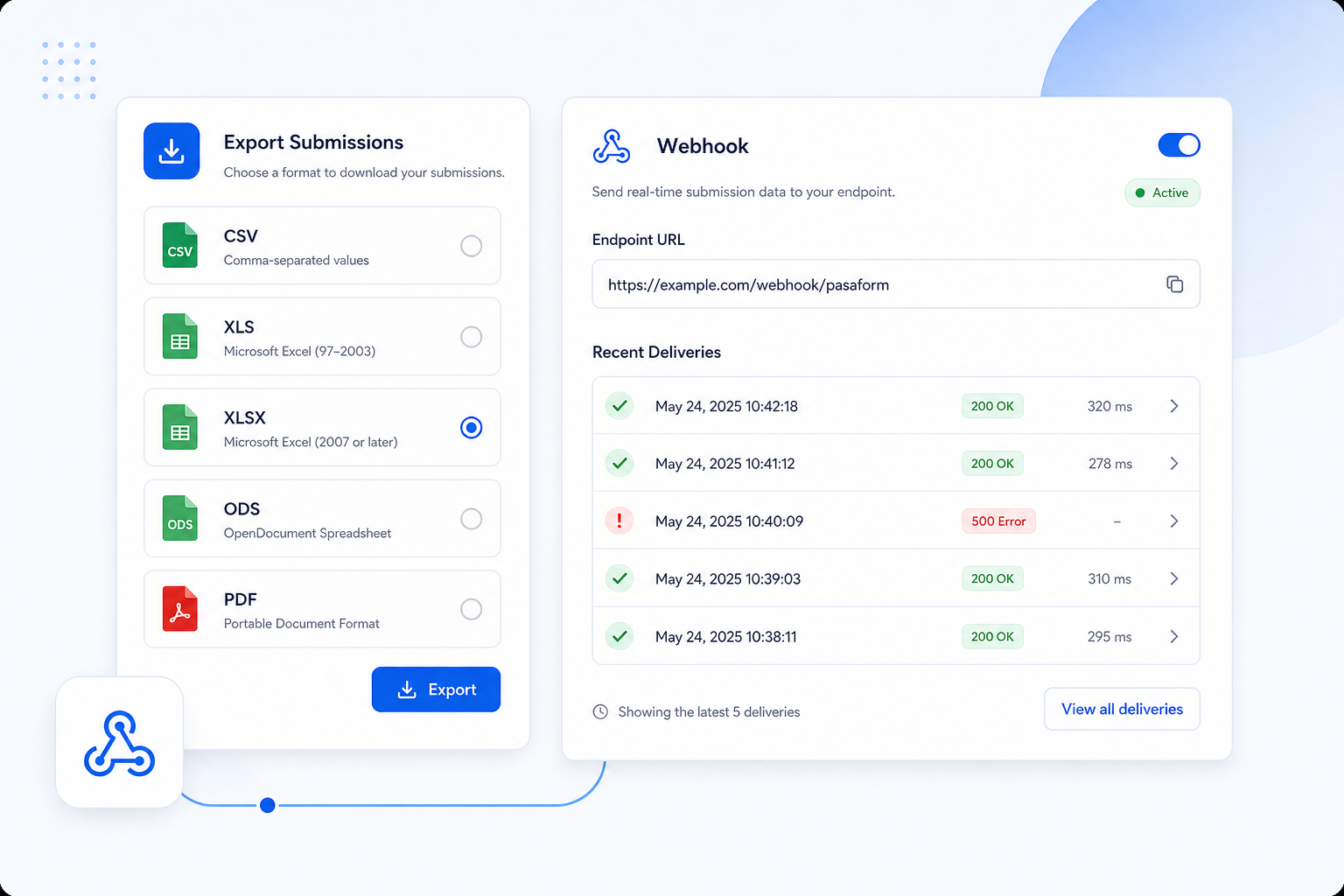
Structured exports for downstream work

Export submission data in CSV, XLS, XLSX, ODS, and PDF formats to match reporting or archival needs.

Webhooks

Push new responses to connected systems for near real-time handoff.

Contained UI snippet of an exports panel showing CSV, XLS, XLSX, ODS, and PDF options beside a webhook endpoint configuration card

6. Review and protection

Browser and device metadata for manual raffle-entry review

Surface context signals to support fair, manual evaluation of potential duplicate or suspicious raffle submissions.

Spam protection

Reduce automated or low-quality entries before they affect operations.

Privacy consent

Capture clear consent language so participants understand data use at the point of submission.

Need a walkthrough for your organization?

Tell us your use case and we will help you map PasaForm to your workflow.

Contact Us